ctfshow WEB 入门-信息收集
web1
题目链接: https://ctf.show/challenges#web1-363
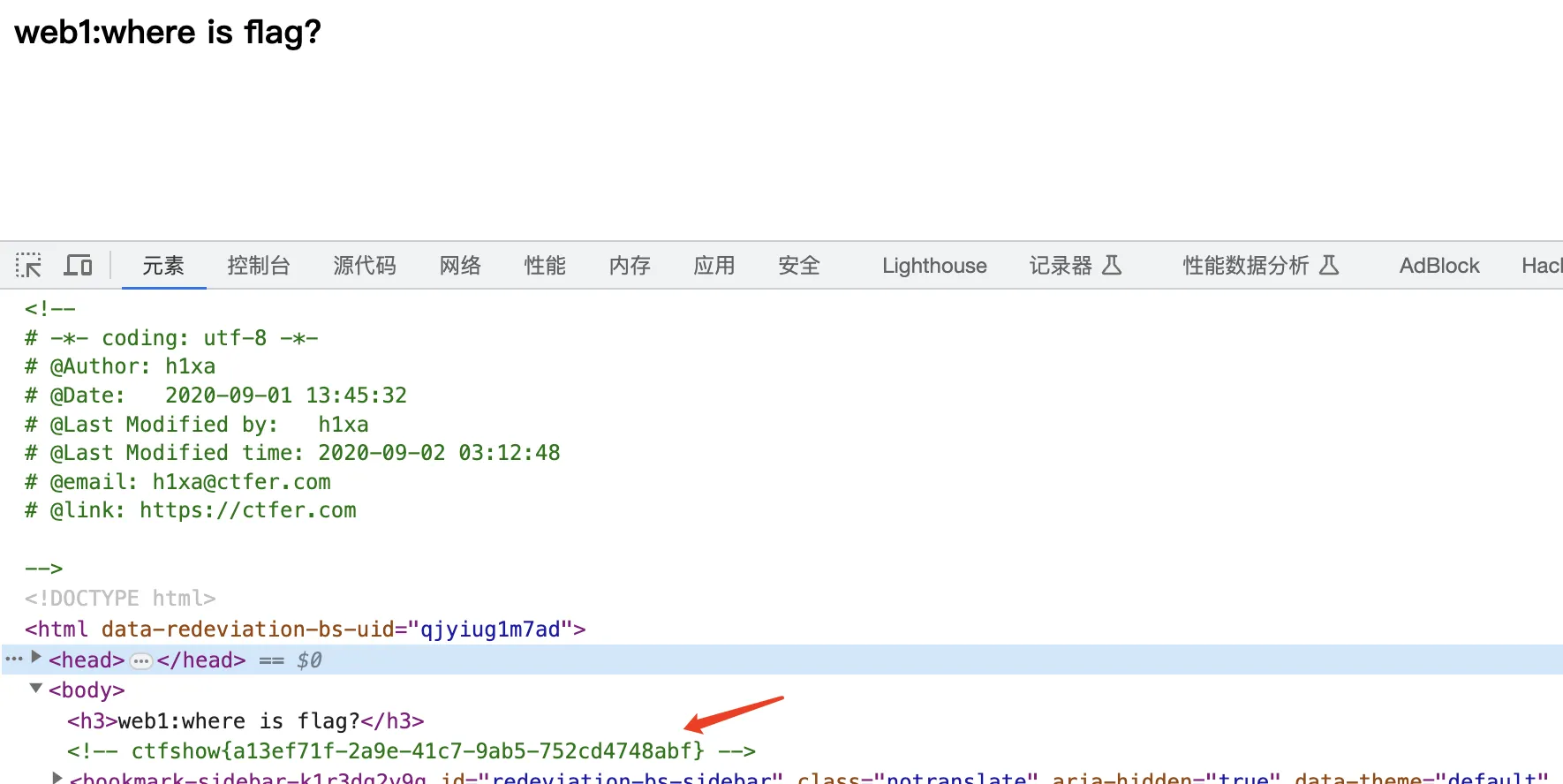
直接 F12 查看源码
web2
题目链接: https://ctf.show/challenges#web2-364
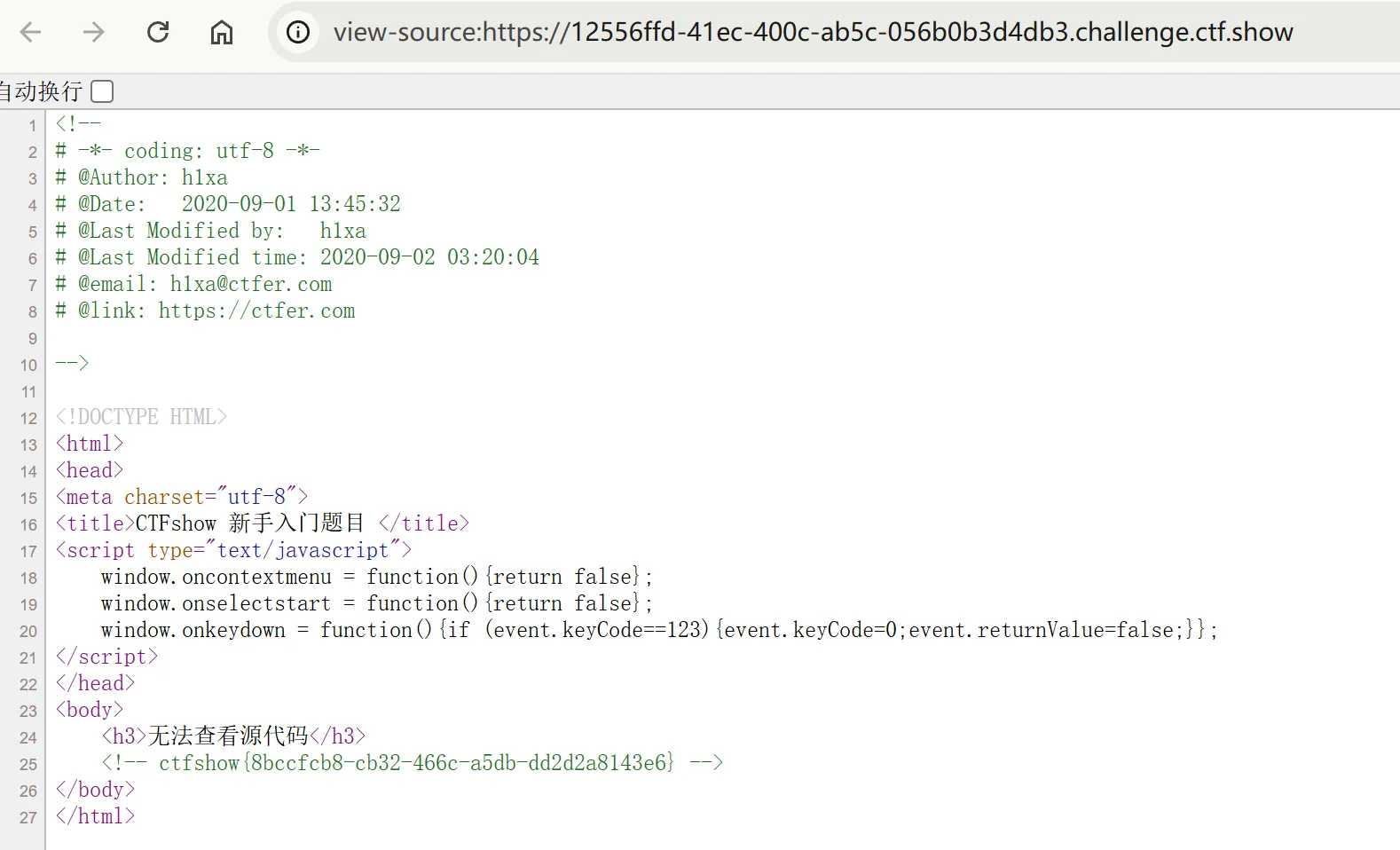
直接浏览器设置里面打开开发者工具或者前面加上view-source:
web3
题目链接: https://ctf.show/challenges#web3-365
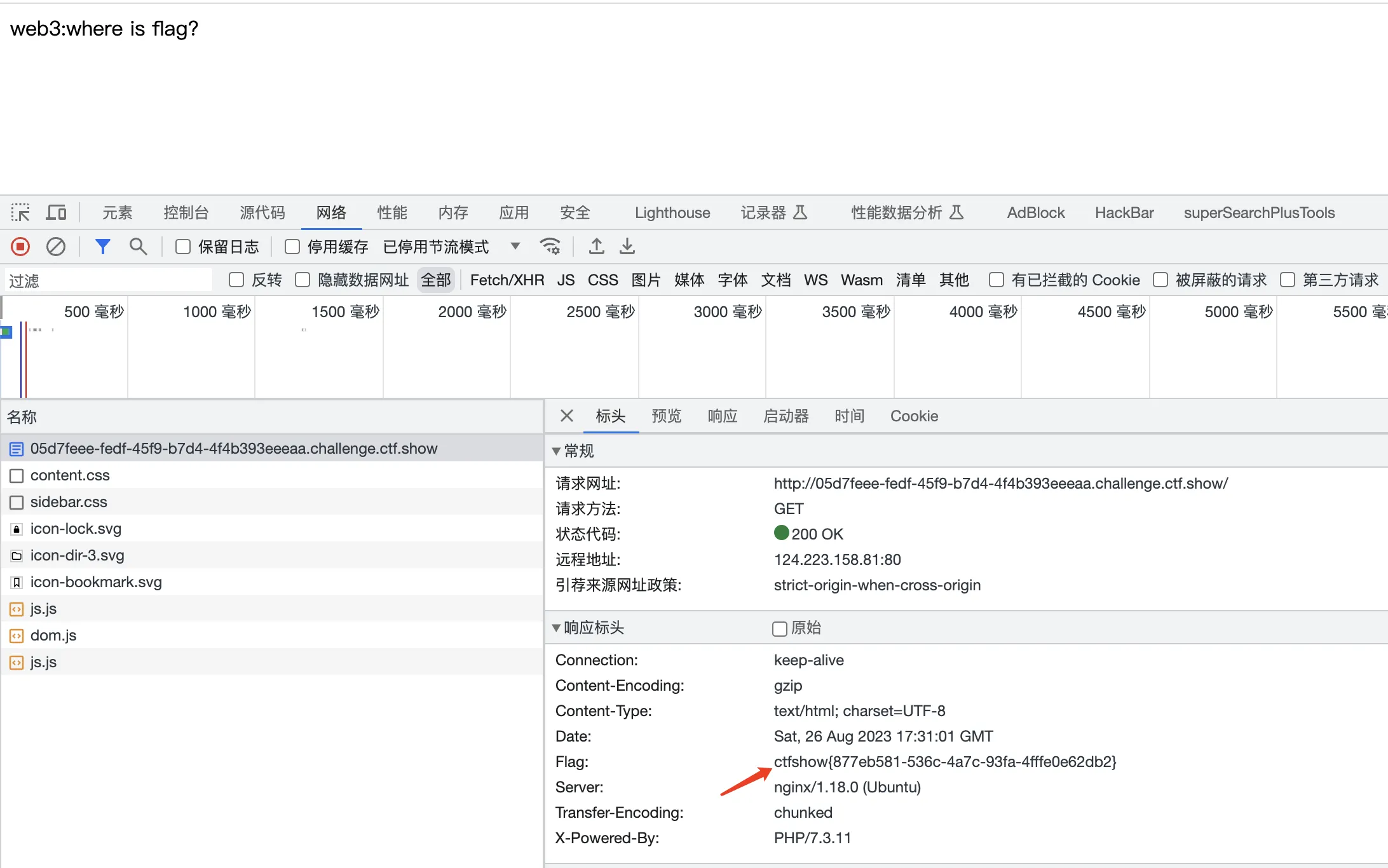
刷新可以看到响应包中的 flag 字段
web4
题目链接: https://ctf.show/challenges#web4-366
访问 url/robots.txt 得到

web5
题目链接: https://ctf.show/challenges#web5-367
备份文件泄露
直接访问 url/index.phps
得到源码文件,里面直接查看flag
web6
题目链接: https://ctf.show/challenges#web6-368
代码泄露,直接访问 url/www.zip
下载可以得到文件查看fl000g.txt发现是假的,访问url/fl000g.txt得到真实的 flag
web7
题目链接: https://ctf.show/challenges#web7-369
.git 源码泄露,可直接访问 url/.git 即可看到 flag
web8
题目链接: https://ctf.show/challenges#web8-370
svn 泄露,直接访问url/.svn/
web9
题目链接: https://ctf.show/challenges#web9-371
vim 缓存信息泄露,直接访问 url/index.php.swp
web10
题目链接: https://ctf.show/challenges#web10-372
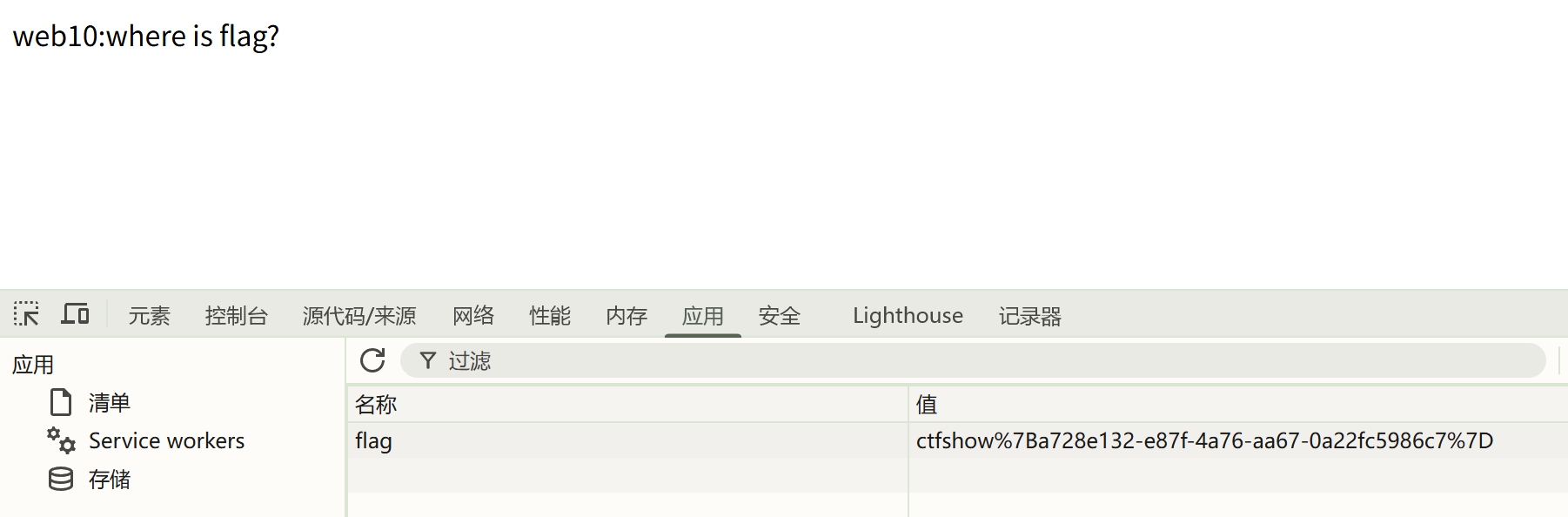
直接 F12 查看 cookie , flag 进行 url 编码了
web11
题目链接: https://ctf.show/challenges#web11-373
直接命令查询解析记录
1nslookup -query=all flag.ctfshow.com
web12
题目链接: https://ctf.show/challenges#web12-374
查看 robots.txt 发现 admin 接口,密码为页面 help 手机号
web13
题目链接: https://ctf.show/challenges#web14-375
页面最下面发现 document.pdf 接口,直接访问发现存在后台账号密码
web14
题目链接: https://ctf.show/challenges#web14-376
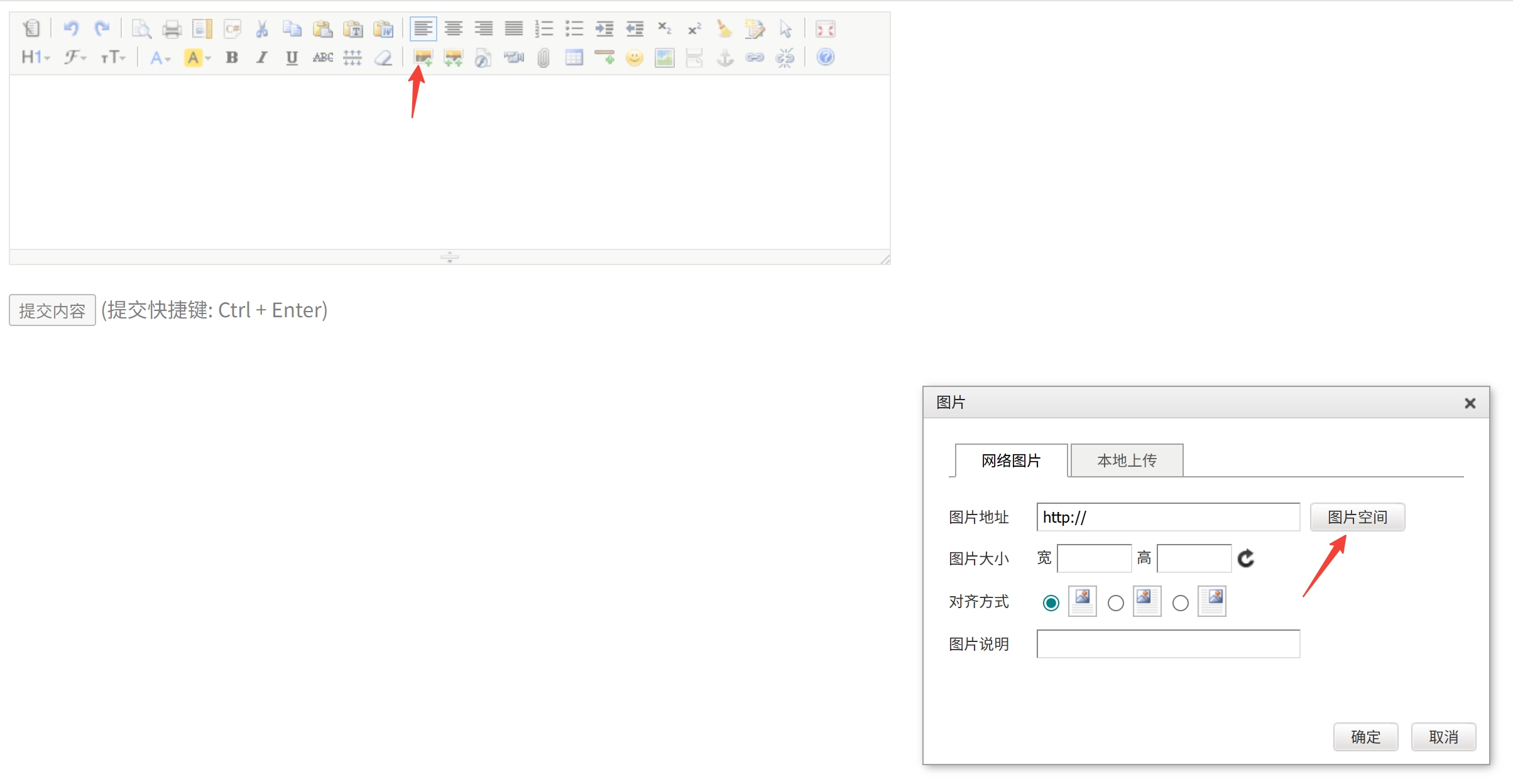
源码看到 editor 接口,直接访问,发现上传图片接口,然后访问获取文件路径,然后拼接访问 url/nothinghere/fl000g.txt
web15
题目链接: https://ctf.show/challenges#web15-377
访问 admin 页面,发现有忘记密码,页面最下面有邮箱,反查地址,重置密码成功
web16
题目链接: https://ctf.show/challenges#web16-378
访问 /tz.php 目录为雅黑 PHP 探针,点击 phpinfo 查看信息,搜索查找 flag
web17
题目链接: https://ctf.show/challenges#web17-1698
目录扫描发现 backup.sql ,直接访问下载,看到 flag
web18
题目链接: https://ctf.show/challenges#web18-380
查看 js 文件,发现通关密文,去通过unicode 解码,访问110.php
web19
题目链接: https://ctf.show/challenges#web19-381
直接 post 请求提交用户名密码
web20
题目链接: https://ctf.show/challenges#web20-382
数据库文件,直接访问 /db/db.mdb 下载,搜索 flag